Limitations
The corrupted file processed by Microsoft ScanST.EXE/ScanOST.EXE can not be recovered successfully due to file structure modifications made by Microsoft ScanST.EXE/ScanOST.EXE.
Recovery for Outlook is designed for effective data recovery from corrupted Microsoft Outlook mailboxes. Using Recovery for Outlook allows to avoid the loss of important information. Nowadays Microsoft Outlook textual processor is the most widespread tool for creation any types of mailboxes, including corporate mailboxes.
Recovery for Outlook scans, analyzes the corrupted file and exports all available data from the file. If the mailbox is strongly damaged, some data loss is inevitable. All restored data is saved into a new pst mailbox. After the recovery the mailbox becomes available for processing. Recovery for Outlook repairs folders and messages, notes and contacts, tasks and calendar items, file attachments and so on.
The important fact is that the program only analyzes the damaged file and does not change the original data. Recovery for Outlook works with text files of various formats: Microsoft Outlook mailboxes of different versions (.pst, .ost files).
What if no data to recover detected in your damaged outlook file? You can order a file review by our technical team. In some cases it is possible to retrieve data only manually.
The demo result allows to evaluate recoverability of a particular corrupted outlook mailbox.
There are two typical outcomes of using the demo results:
- A limited amount of actual data will be fixed from the damaged outlook file. Other fixed data will be presented as placeholders labeled "demo";
- Data analysis will find the mailbox impossible to fix. "No data to recover" message will be shown in that case.
Fix and Recover Outlook Files
At first a very important point is to define whether your pst or ost file is corrupted. A outlook file is corrupted when it has inconsistencies that make it impossible to open it with Microsoft Outlook. If while trying to open your pst or ost file you got an error message or the application crashed or the file could open as a mix of random characters, all these are typical symptoms of your outlook file corruption.
The good news is that in most cases a half of corrupted outlook files aren't lost completely. And Recovery for Outlook was exactly created to fix and restore the remaining non-corrupted data from damaged pst or ost files. You will get your data back and will be able to open it with Microsoft Outlook without any errors.
Recovered data into a separate folder in the default Inbox (when used with Outlook 97, 98) or saves it as a separate .pst file (Outlook 2019, 2016, 2013, 2010, 2007, 2003, XP, 2000)
Using Recovery for Outlook
- Backup the corrupted mailbox(s) before proceeding with any recovery activities. Use reliable non-local media such as CD or network drive to store backups.
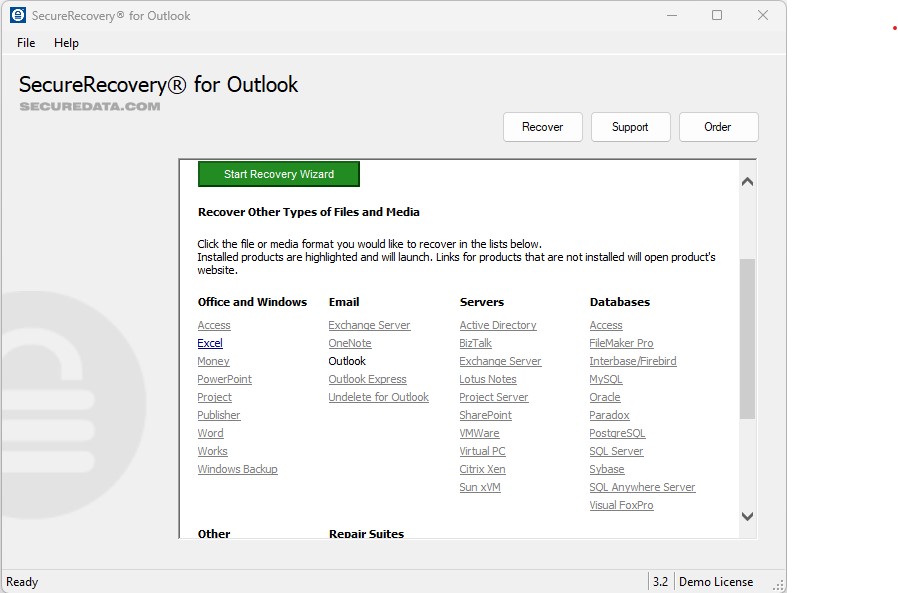
- Start Recovery for Outlook.
- Select the Recover... item in the File menu. A file selection dialog will open.
- Select the mailbox corrupted and press "Recover" button.
- Wait until the file processing is completed.
- When prompted, save the recovered mailbox, assigning it a new name. By default, Recovery for Outlook adds "Recovered" to the file name, i.e. "Corrupted mailbox.pst" will be saved as "Recovered Corrupted mailbox.pst"









.png)
